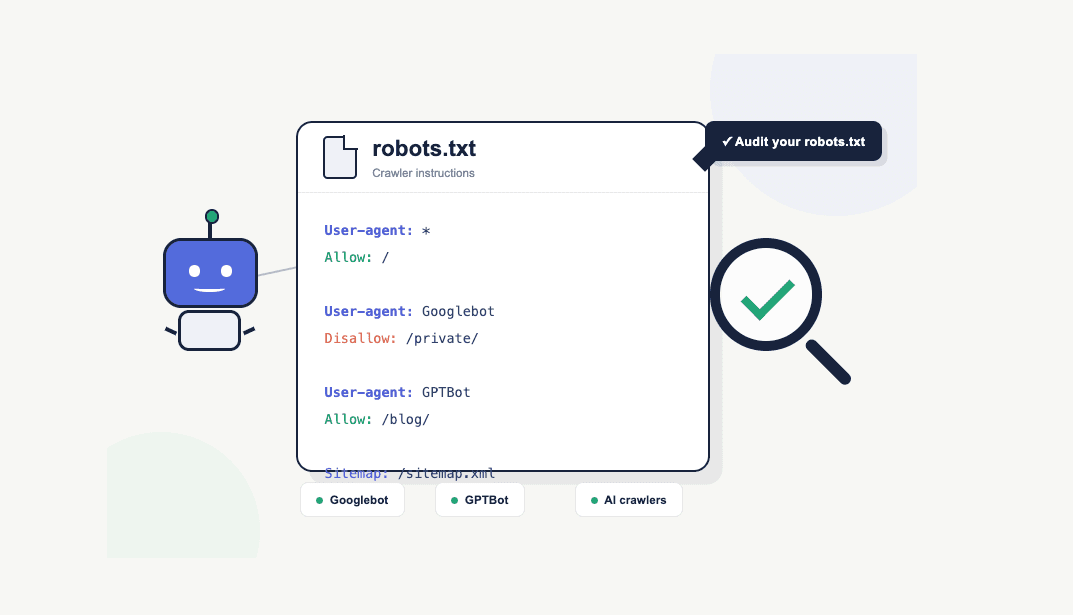
Review your robots.txt to ensure you're allowing your site to be referenced in search and AI chat applications.
Your robots.txt file will determine if your site is accessible to crawlers; this in turn determines whether you will be indexed and ranked in search engines like Google, as well as cited in AI chat applications like ChatGPT. Here’s how to check yours.

At a glance:
- How to locate your robots.txt file
- What is a robots.txt file and why do you need one?
- A review of the BBC’s robots.txt
- How to audit your robots.txt
- Robots.txt audit checklist
- Tools to help you audit your robots.txt
What is a robots.txt file?
The robots.txt is a text file located off the root domain: [domain].com/robots.txt
For example, you can see the robots.txt file for Melt Digital at: https://www.meltdigital.com/robots.txt.
Equally you can visit the BBC’s robots.txt at: https://www.bbc.co.uk/robots.txt
Many CMS’s will automatically create a robots.txt file on your behalf, and also allow you to edit it as you see fit. For example, all WordPress sites have a robots.txt by default, as do Shopify sites.
However, it's not always necessarily going to be there by default (especially if you've got a custom built set up) - so you should go append ‘/robots.txt’ to your domain to check.
But what is the point of it? And what does it contain?
All credible web crawlers (think search engines crawlers like Googlebot, Bing, etc and AI crawlers like ChatGPT, Claude, etc) will first check and look for this file before crawling your site. Why? Because it contains all the instructions for crawlers.
The contents of a robots.xt instruct crawlers on:
- Access: what, if anything, they are allowed to crawl on your website.
- Speed: the speed in which you would like them to crawl your site.
- Links to sitemaps: sitemaps contain all the important pages on your website. Therefore many crawlers first visit the robots.txt, subsequently discover a sitemap (or multiple sitemaps), and then crawl all pages in these sitemap(s).
- Commentary: with agents becoming more commonplace, many sites are adding some commentary to their sitemap around their terms of service in which they are aiming to instruct agents on what they can and cannot do on their site.
Access
The TLDR; for a web page to rank in a search engine like Google, or to be cited in an AI chat application like ChatGPT, it must be accessible to the respective crawlers. Assuming you want this, you should make sure all your key pages are accessible and not being blocked.
Now into the finer detail; you can be specific to which crawlers you allow access to, and or be specific into certain sections that a crawler can access or not access.
To do this you produce rules for a given user agent. Note, you can use regex to define specific page paths, or specific user agents.
For example, to allow all user agents access to your entire site its:
User-Agent: *
Allow: /
Conversely, to disallow all user agents from accessing your site its:
User-Agent: *
Disallow: /
You can also allow access to one user agent and not allow another:
User-agent: GoogleBot
Allow: /

User-agent: GPTBot
Disallow: /

User-agent: ChatGPT-User
Disallow: /
The rules above effectively mean, your site will be accessible on Google Search, but it will not be accessible in ChatGPT.
Please note you can also be specific about page paths that a crawler can or cannot access. We’ve omitted these examples to keep the blog post simple.
A quick review of the BBC’s robots.txt
To illustrate the rules above, we can review the BBC’s robots.txt.
Note the following rules that block ChatGPT from accessing the BBC’s site:
User-agent: GPTBot
Disallow: /

User-agent: ChatGPT-User
Disallow: /
If we now test to see if BBC is cited in ChatGPT with a prompt like ‘Whats the latest news on BBC’, we can see the BBC is not cited.
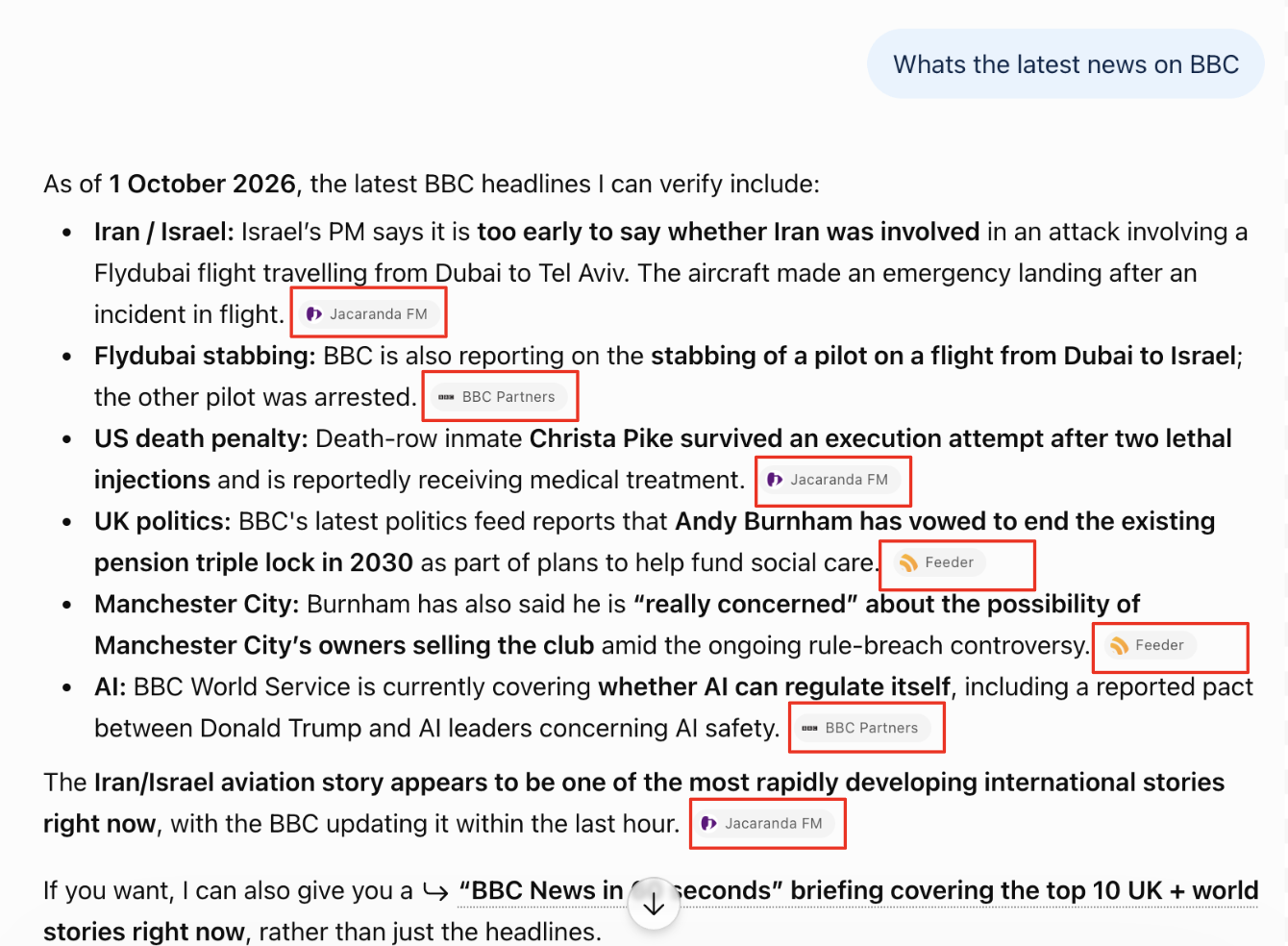
Note, none of the cited pages are from the bbc.co.uk - there third party sites which proxy the BBC’s content.
Speed
The robots.txt also allows you to direct the crawl speed.
For example, to allow for 5 seconds between requests for all crawlers you can instruct:
User-agent: *
Crawl-delay: 5
Links to sitemaps
The robots.txt is also a place to tell a crawler about your sitemap. This makes sense, as the robots.txt is the first page on your site it will crawl, and immediately it can find a list of key pages to crawl (as opposed to finding new pages via spidering through links on a website).
Using the Melt Digital robots.txt as an example, you can see we have linked to our XML sitemap like so:
Sitemap: https://meltdigital.com/sitemap.xml
Note, many sites do not include their XML sitemap within their robots.txt - thats because it's accessible to anyone. With that being the case, it means competitors and other nefarious agents can use it in which you may not intend. For example, for the BBC, that might be to programmatically extract their content and republish on their own domain. For that reason, many sites do not provide their XML sitemap in their robots.txt. However, you can still publish your sitemap directly with some providers like Google within Google Search Console.
How to check and audit your robots.txt file?
The key thing to check with your robots.txt file is that you’re allowing the right crawlers to access the right URLs.
In simple terms, if you want your website to appear in search engines like Google, you need to make sure search engine crawlers such as Googlebot can access the pages you want to rank. If you want your website to be discovered and cited by AI applications like ChatGPT, you also need to make sure relevant AI crawlers, such as GPTBot, can access your content.
We’ve put together the audit checklist below to help you check your robots.txt file and make sure it isn’t unintentionally blocking the crawlers or content that matter to you.
The robots.txt audit checklist
- Check that your robots.txt file exists (at [domain].com/robots.txt)
- Check that it returns a 200 status code
- Check that the file uses valid robots.txt syntax
- Check which crawlers are being given instructions
- Review your Disallow directives
- Review your Allow directives
- Check for accidentally blocked pages or directories
- Check that important assets aren't blocked
- Check for conflicting or overly restrictive rules
- Check your sitemap references
- Check whether crawl-delay directives are being used (optional)
- Check rules for specific search engine and AI crawlers
- Test important URLs against your robots.txt rules
Common robots.txt mistakes to look out for
- Blocking the entire site with Disallow: /
- Accidentally blocking important sections
- Blocking CSS, JavaScript or image resources
- Using robots.txt to try to deindex pages
- Forgetting to update rules after a migration
- Assuming robots.txt controls all bots
- Using unsupported or inconsistently supported directives
- Blocking AI/search crawlers without understanding the consequences
Tools to help audit your robots.txt
Here is a shameless plug for you to try out Melt Digitals robots.txt checker . It's free, and accessible with no sign up.
Alternatively, there are many other applications and web crawling providers that will allow you to audit your robots.txt file:
- Google Search Console - Useful for checking how Google accesses your site and identifying crawl-related issues.
- Screaming Frog SEO Spider – Can crawl a site using robots.txt rules and identify URLs that are blocked or affected by those rules. You’ll need to download the application onto your computer.
- Sitebulb – Provides detailed crawl reports showing URLs blocked by robots.txt and potential crawling issues.
- Semrush Site Audit – Checks robots.txt configuration as part of a broader technical SEO audit.
- Ahrefs Site Audit – Identifies URLs blocked by robots.txt and other crawlability issues.

Charlie leads the technical SEO team at Melt Digital, focusing on complex technical implementations and SEO automation. He has deep expertise in JavaScript frameworks, Core Web Vitals optimisation, and building custom SEO tools.
Related Articles
Review your robots.txt to ensure you're allowing your site to be referenced in search and AI chat applications.
Your robots.txt file will determine if your site is accessible to crawlers; this in turn determines whether you will be…
Read more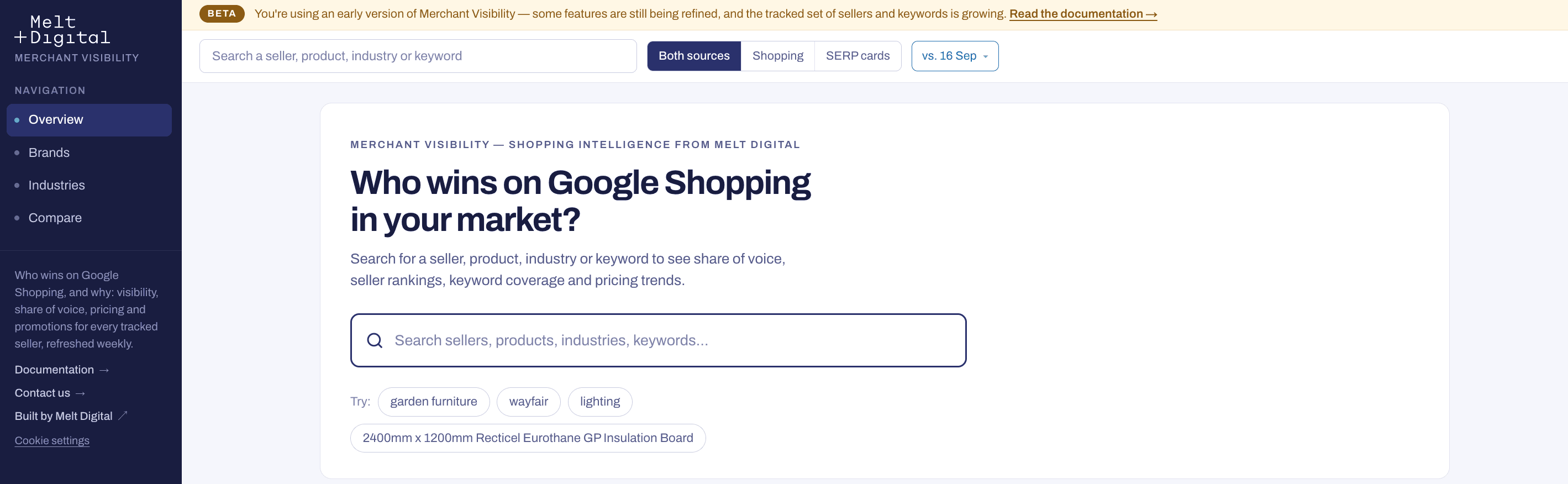
Introducing Merchant Visibility - shopping intelligence tracking by Melt Digital
Introducing Merchant Visibility — the intelligence platform for monitoring product visibility, pricing, reviews and competition.
Read more
27 checks to see if your website is accessible, understandable and usable to AI agents.
We no longer need to optimise websites for just users and search engine bots. AI agents are now becoming another…
Read moreReady to Boost Your Organic Traffic?
Let's discuss how Melt Digital can help transform your SEO strategy.
Get in Touch