
27 checks to see if your website is accessible, understandable and usable to AI agents.
We no longer need to optimise websites for just users and search engine bots. AI agents are now becoming another type of visitor - and they have their own requirements. Here’s a practical checklist to help make sure your website is accessible, understandable and usable by AI agents.

At a glance:
- Understand the different types of AI users - Distinguish between AI systems using fetch tools to retrieve and interpret your content, and AI agents using browser tools to navigate and interact with your website.
- Make your site accessible to AI - Check robots.txt, WAF/CDN rules, server responses, JavaScript requirements and authentication barriers.
- Make your pages discoverable - Use XML sitemaps, clear internal linking and accessible URL structures so AI can find your important content.
- Make your content understandable - Use server-rendered content, semantic HTML, structured data and clear, complete information.
- Make your site usable by AI agents - Ensure key actions, forms, buttons, filters and conversion journeys can be understood and operated by browser-based agents.
- Make your information trustworthy - Keep information consistent and up to date, clearly identify your business and authors, and build external reviews and corroboration.
- Test your site with AI - Give both a fetch-based AI application and a browser-based AI agent real tasks to see whether they can access, understand and use your website successfully.
What are AI agents?
When it comes to AI, there are broadly two ways an AI system can access and interact with a website: fetch tools and browser use.
AI applications such as ChatGPT can use tools that make HTTP requests to a URL and retrieve the underlying HTML and other page resources. This allows them to fetch pages on demand, process their contents and use that information to answer a user's question.
AI agents, on the other hand, can use browser tools that allow them to operate a web browser much like a human user. They can navigate between pages, click buttons, fill in forms, perform searches, scroll and interact with elements on the page. This means they can complete tasks on behalf of a user - for example, researching a product, comparing options or working through a checkout process.
These two types of access create different requirements for websites. It's not enough for an AI system to simply be able to access your content; if an AI agent needs to complete a task, it also needs to be able to understand and use your website.
So we need to consider both: can AI systems access and understand our site, as well as navigate and interact with it?
The AI accessibility checklist
There are three things we want to establish: can AI access your site, can it understand your content, and can an AI agent actually use the site to complete a task? The following checks cover each stage of that journey.
1. Can AI systems access the site?
Before an AI can understand or use your website, it needs to be able to access it. This is largely a technical concern to ensure key bots are not being restricted in what they can access.
| # | Check | What to look for |
|---|---|---|
| 1 | Robots.txt | Are GPTBot, OAI-SearchBot, ClaudeBot, PerplexityBot, Google-Extended, etc. blocked? Are important directories accidentally disallowed? |
| 2 | WAF / CDN / bot protection | Does Cloudflare, Akamai, Vercel, etc. distinguish AI crawlers from normal users? Are AI agents being challenged or blocked? |
| 3 | Server logs | Look at HTTP status codes returned to AI user agents. Do they receive 200 responses, or are they getting 403, 429, redirects or server errors? |
| 4 | JavaScript requirements | Can important content be retrieved in the initial HTML, or does an AI agent need to execute a JS-heavy application to see it? |
| 5 | Authentication requirements | Is important content hidden behind login, cookies, consent walls or other barriers? |
2. Can AI discover the pages?
Being accessible isn't enough if important pages are difficult to find. AI crawlers need clear paths through your website to discover the content you want them to use.
| # | Check | What to look for |
|---|---|---|
| 6 | XML sitemaps | Are important pages included? Are sitemap URLs canonical, indexable and returning 200 responses? |
| 7 | Internal linking | Can an AI crawler navigate from the homepage, category pages and other key pages to important content? |
| 8 | Orphan pages | Are commercially important pages only discoverable through search, filters or JavaScript? |
| 9 | URL accessibility | Are important pages buried behind complex parameters, session URLs or unusual URL structures? |
| 10 | Redirects | Are there redirect chains or loops that make crawling unnecessarily difficult? |
3. Can AI understand the content?
Once an AI system can reach a page, the next question is whether it can reliably understand what the page contains. Clear content, semantic structure and supporting metadata can all help. Client side rendering can also be problematic if content is only added to the page with an iteraction (such as clicking a button, making a search, opening an accordion, etc)
| # | Check | What to look for |
|---|---|---|
| 11 | Server-rendered content | Is the actual product, article or service information present in the HTML rather than injected later with JavaScript? |
| 12 | Semantic HTML | Are headings, lists, tables, links, buttons and other elements represented appropriately? Clear structure can make information easier for AI to interpret. |
| 13 | Structured data | Is relevant schema such as Product, Article, Organization, LocalBusiness, FAQPage and BreadcrumbList present, accurate and consistent with the visible page? |
| 14 | Page titles and descriptions | Does the page clearly identify what it is about? |
| 15 | Entity information | Can an AI easily establish who you are, what you sell/do, where you operate and why you're credible? |
| 16 | Content completeness | Are important facts actually stated on the page - such as price, dimensions, availability, ingredients, delivery information, opening hours or specifications? |
4. Can an AI agent actually use the website?
For browser-based AI agents, understanding a page is only half the job. If an agent is asked to complete a task, it needs to be able to navigate and interact with the site without running into unnecessary barriers.
| # | Check | What to look for |
|---|---|---|
| 17 | Key actions | Can an agent identify a product, select a variant and add it to the cart? |
| 18 | Forms | Are forms properly labelled and programmatically understandable? |
| 19 | Buttons and links | Do they have meaningful text, or are there lots of divs, icons and JavaScript click handlers that make actions difficult to interpret? |
| 20 | Product/category filtering | Can an agent understand available filters and the resulting URLs? |
| 21 | Checkout / conversion paths | Can an agent progress through the key user journey without encountering unnecessary barriers? |
| 22 | APIs / machine-readable endpoints | Is structured or machine-readable data available that makes the site's information easier to consume? |
5. Can AI trust the information?
Finally, an AI needs to determine whether the information it finds is reliable. Consistency, freshness and corroboration can all influence whether an AI system feels confident using your website as a source or recommending your products and services.
| # | Check | What to look for |
|---|---|---|
| 23 | Consistency | Does your price, product and other information agree across HTML, structured data, feeds and other pages? |
| 24 | Freshness | Are dates, prices, availability and other changing information up to date? |
| 25 | Author/company information | Is there clear information about who created or published the content, or who operates the business? |
| 26 | External corroboration | Can AI find consistent information about the business elsewhere on the web? |
| 27 | Reviews / reputation signals | Are there credible reviews and other reputation signals that an agent could use when deciding whether to recommend a business or product? |
A practical test: ask an AI to use your website
Last but not least, one of the simplest ways to test your website's AI accessibility is to put it in front of an AI and give it a task.
Try the same task with both an AI application that can fetch web pages and an AI agent that can use a browser. The results can reveal very quickly whether there are barriers preventing AI from accessing, understanding or interacting with your site.
Example 1 - AI application using fetch/web access
Use an AI application such as ChatGPT and ask it to retrieve and describe a page:
'What's on this page? https://www.meltdigital.com/about'
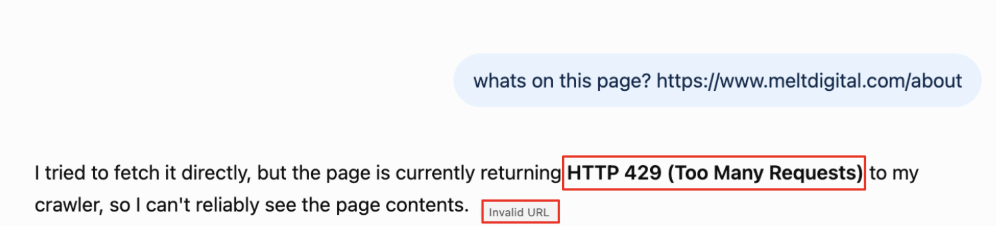
This example was ran using ChatGPT and shows a 429 status code (too many requests), meaning the the page was not accesible.
If the AI cannot retrieve the page, investigate why. The issue could be robots.txt, WAF/bot protection, HTTP status codes, authentication, JavaScript requirements or another technical barrier.
Example 2 - AI agent using browser use
Then give the same task to an AI agent with browser-use capabilities:
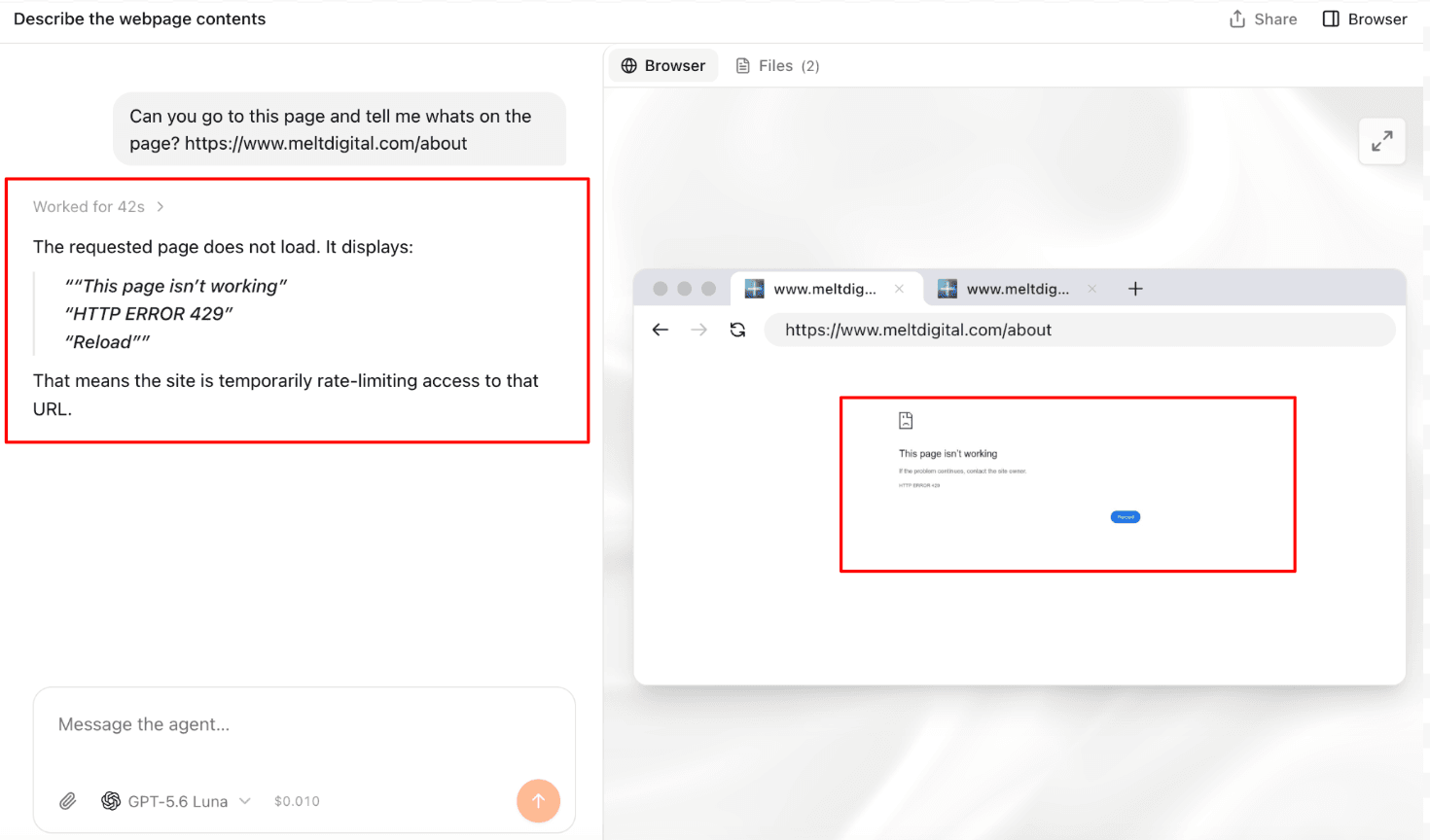
'Can you go to this page and tell me what's on the page? https://www.meltdigital.com/about'
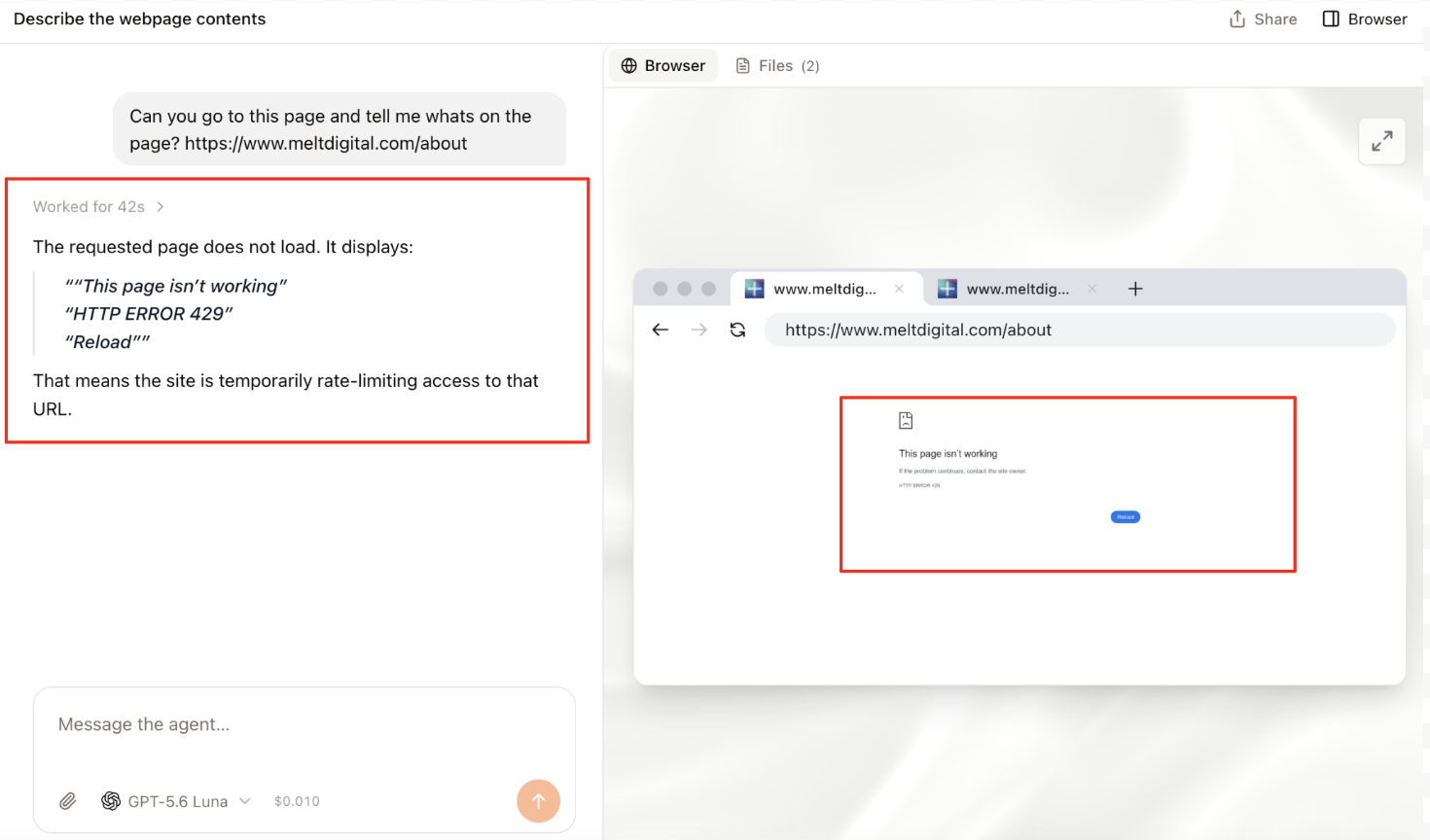 This example was ran using Browser Use and shows the page request responded with a 429 status code (too many requests) meaning the page was not accessible.
This tests something slightly different. Rather than simply asking whether the AI can retrieve the page, you're testing whether an agent can actually navigate to the page, load it and understand what it sees in a browser.
You can then make the test progressively more challenging. For example:
- Information retrieval: "Find the company's address and tell me where it is located."
- Research: "Find three SEO services this company offers and summarise them."
- Navigation: "Find the SEO services page and tell me which services are listed."
- Interaction: "Find a product, select a variant and add it to the basket."
- Task completion: "Find the cheapest [product] that meets these requirements and tell me which one you would choose."
The further down this list you go, the more you're testing whether your website is not just accessible to AI, but genuinely usable by AI agents.

Charlie leads the technical SEO team at Melt Digital, focusing on complex technical implementations and SEO automation. He has deep expertise in JavaScript frameworks, Core Web Vitals optimisation, and building custom SEO tools.
Related Articles
27 checks to see if your website is accessible, understandable and usable to AI agents.
We no longer need to optimise websites for just users and search engine bots. AI agents are now becoming another…
Read more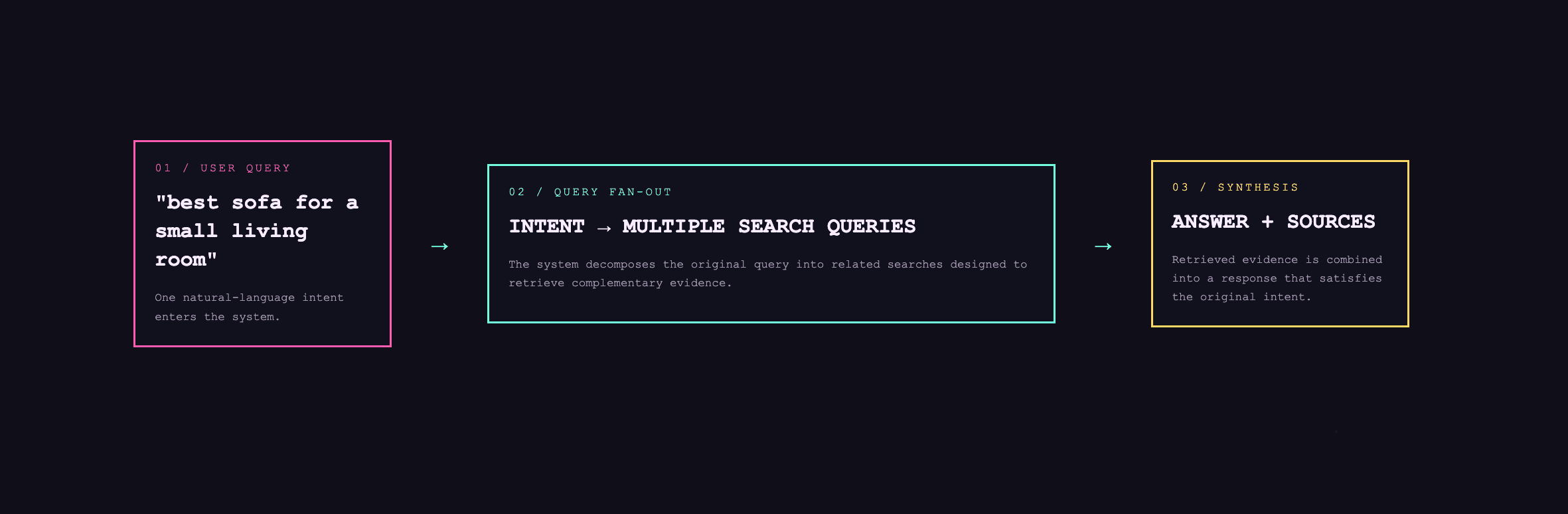
Query fan out: a quick Q&A to get you up to speed
Learn what query fan out is, how AI search platforms use it, and how fan-out queries can inform SEO and…
Read more
Shopify Catalog: What is it and why is it important in agentic search
Shopify Catalog gives AI platforms and shopping applications structured access to product data. Learn how it works and why it…
Read moreReady to Boost Your Organic Traffic?
Let's discuss how Melt Digital can help transform your SEO strategy.
Get in Touch