
The majority of AI agents don’t render JavaScript - here's how to check your site rendering
AI agent crawlers typically don’t render JavaScript - they take the raw html source code (meaning anything that is rendered by JavaScript is potentially ‘hidden’ from AI agents)/

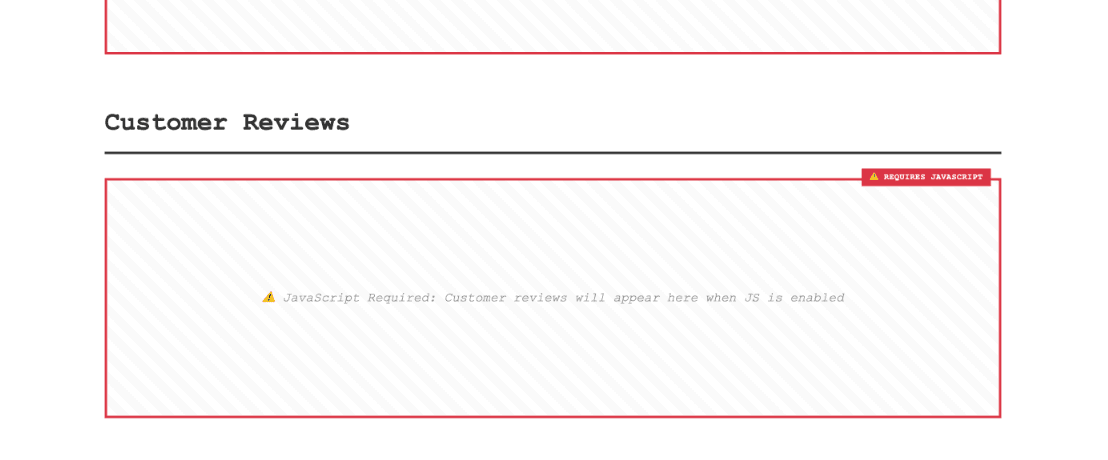
AI agent crawlers typically don’t render JavaScript - they take the raw html source code (meaning anything that is rendered by JavaScript is potentially ‘hidden’ from AI agents).
At a glance:
- AI agents (like Claude, ChatGPT, etc) typically* don’t render JavaScript - they fetch a webpage and take the initial HTML response and use this information for synthesis and citations.
- You can check for JS rendering on a site by disabling JavaScript in the browser and viewing the page.
- Compare the page with JS enabled and disabled to find content that is being rendered using JavaScript.
- Make sure all important content is rendered in the initial html response
*I say 'typically' - the answer is slightly more nuanced - sometimes an agent (agent dependent) might attempt to render the JS if it can detect JS use. On the whole, at the current time of writing, it's likely most agents are not rendering JS due to resource / cost constraints.
A brief note on server side rendering vs client side rendering (JS rendering)
There are broadly two types of rendering; server side rendering and client side rendering. Client side rendering uses JavaScript to fetch additional content and add the DOM after the initial server response.
Server side rendering is when the server returns the entire HTML for the webpage in the initial server response.
In comparison to client side rendering - the server returns minimal HTML alongside JavaScript files, which then in turn execute on the user's device adding further content to the web page.
It's worth noting, in practice, it's common to have a mixture of server side rendering and client side rendering used together - for example, say on your homepage, the majority of the content is server side rendered from the CMS but you might have specific components pulling from third party providers - such as a review widget from Trust Pilot, or an Instagram gallery embedding.
How to check for JS rendering
To check what content is being rendered using JS you can simply disable JS in your browser and view the page.
In a Chrome browser:
- Right click on the web page -> click ‘inspect’
- Click on the settings cog
- Find ‘Debugger’ and click toggle ‘Disable JavaScript’
Now you can refresh the page and to check what content is not being shown. Check both the page with JavaScript enabled and disabled. Run this process across multiple page types and templates (as different templates might have unique JS rendering).
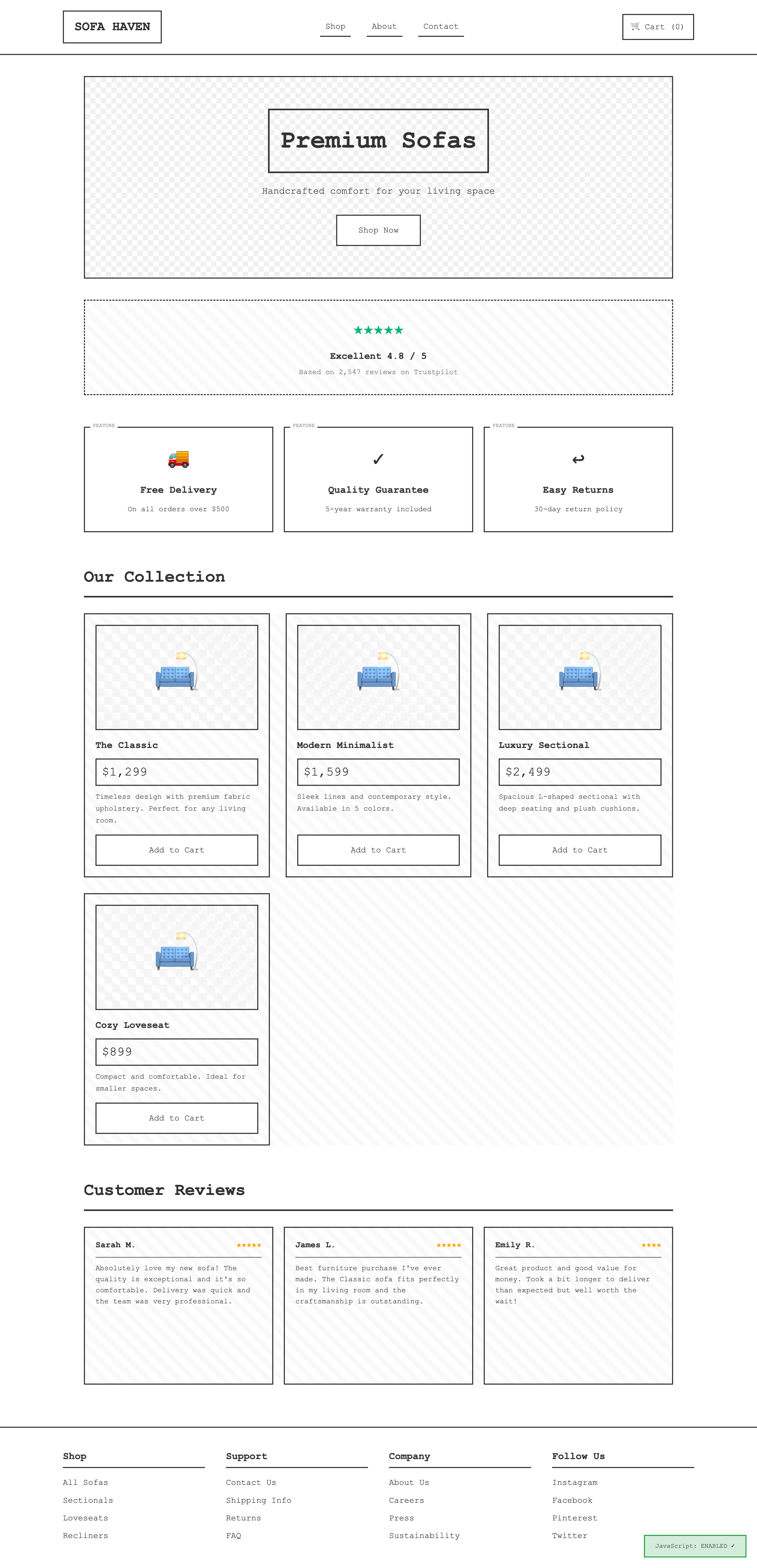
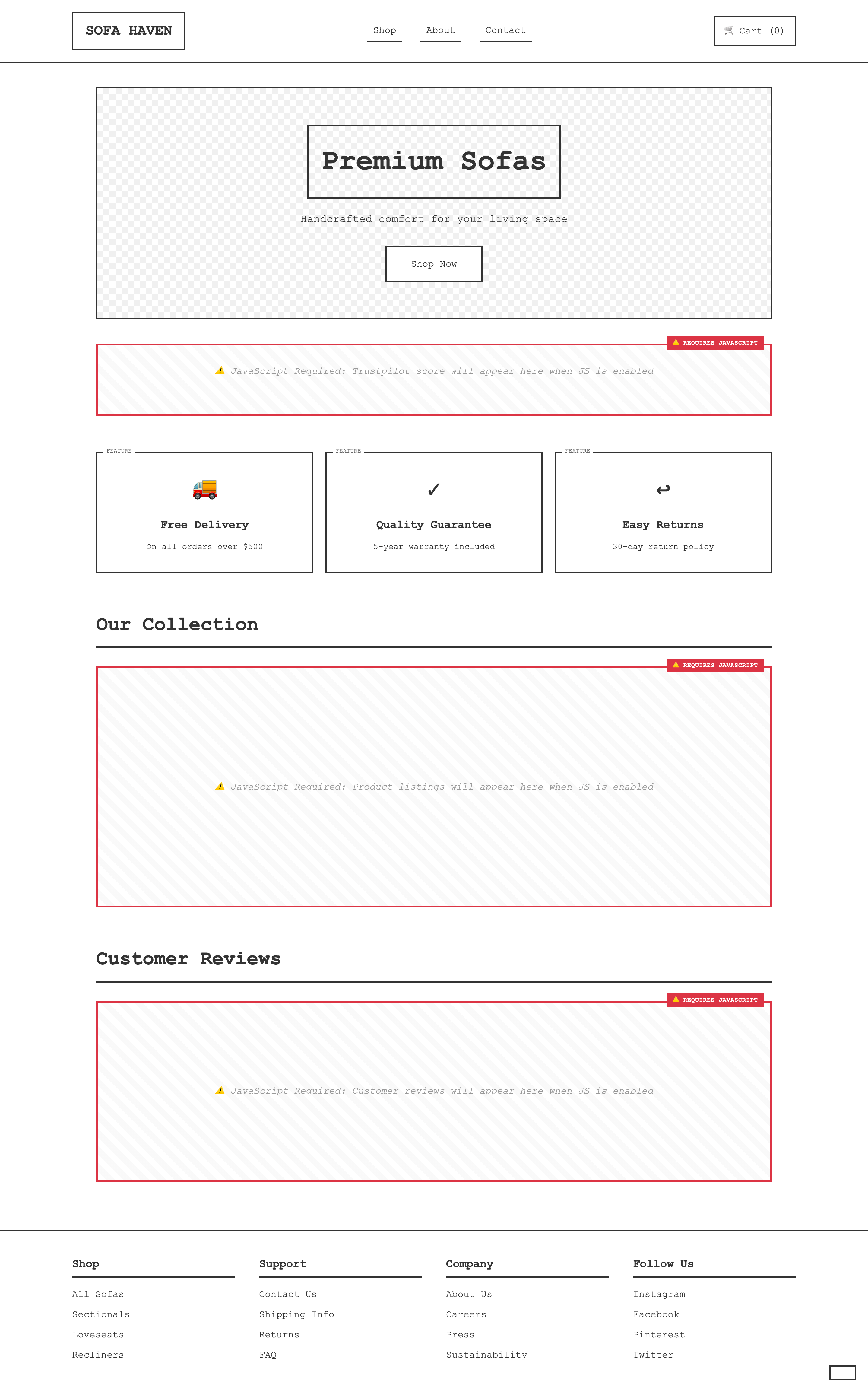
By way of example, see the screen grabs of example website with JS enabled and disabled:
JavaScript enabled:
JavaScript disabled:
What content should be accessible to AI agents?
The answer is nuanced here, depending on your site, but by and large you want to ensure you are showing anything that relates to important product information / details and trust signals. In a commercial, ecommerce setting, this kind of information is typically what is picked up and synthesised in AI response.
For example:
- All product information
- Dimensions
- Attributes such as colour, fabric, materials, sizes, etc
- Images
- Q&A’s
- Variants
- Etc
- Trust signals
- Reviews & ratings
- Warranty & returns
Typical JS rendering on ecommerce websites
Whilst a site can be built completely using server side rendering or client side rendering, it's common to see a mixture of rendering methods. This is often as a result of websites using third party services and plugins.
Here are some typical ecom web features to look out for:
- Product filters (faceted navigation)
- Product recommendations
- Recently viewed products
- Related products
- Personalised product recommendations
- Wishlist
- Product image galleries and zoom
- Product videos and 360° viewers
- Customer reviews and ratings
- Q&A sections
- Live stock availability
- Delivery date estimators
- Click & Collect availability
- Store locator
- Price calculators (e.g. finance or custom products)
- Product configurators (colour, size, fabric, etc.)
- Product variant selectors
- Newsletter sign-up forms
- Promotional banners and pop-ups
- Social proof notifications (e.g. "15 people viewed this today")
- Recently purchased notifications
- Personalised offers
- Loyalty programme widgets
- Payment providers (e.g. PayPal, Klarna)
So if you’ve seen little traffic or sales from LLMs, you should check how extensively your website features any of these services. Have a look on your PDPs or PLPs to see what content is (and is not) “showing” when JavaScript is switched off. If you can’t see important information about your product and brand then optimisation is needed.

Charlie leads the technical SEO team at Melt Digital, focusing on complex technical implementations and SEO automation. He has deep expertise in JavaScript frameworks, Core Web Vitals optimisation, and building custom SEO tools.
Related Articles

SEO-Friendly Pagination: Load More and Infinite Scroll Examples
Implement SEO-friendly pagination with practical examples using standard pagination, load more buttons, and infinite scroll while keeping Googlebot happy.
Read more
27 checks to see if your website is accessible, understandable and usable to AI agents.
We no longer need to optimise websites for just users and search engine bots. AI agents are now becoming another…
Read more
Query fan out: a quick Q&A to get you up to speed
Learn what query fan out is, how AI search platforms use it, and how fan-out queries can inform SEO and…
Read moreReady to Boost Your Organic Traffic?
Let's discuss how Melt Digital can help transform your SEO strategy.
Get in Touch